Email content for the new testimonial
Edit the default thank-you email after a new testimonial. Available to the account owner on Ultimate and Ultimate+.
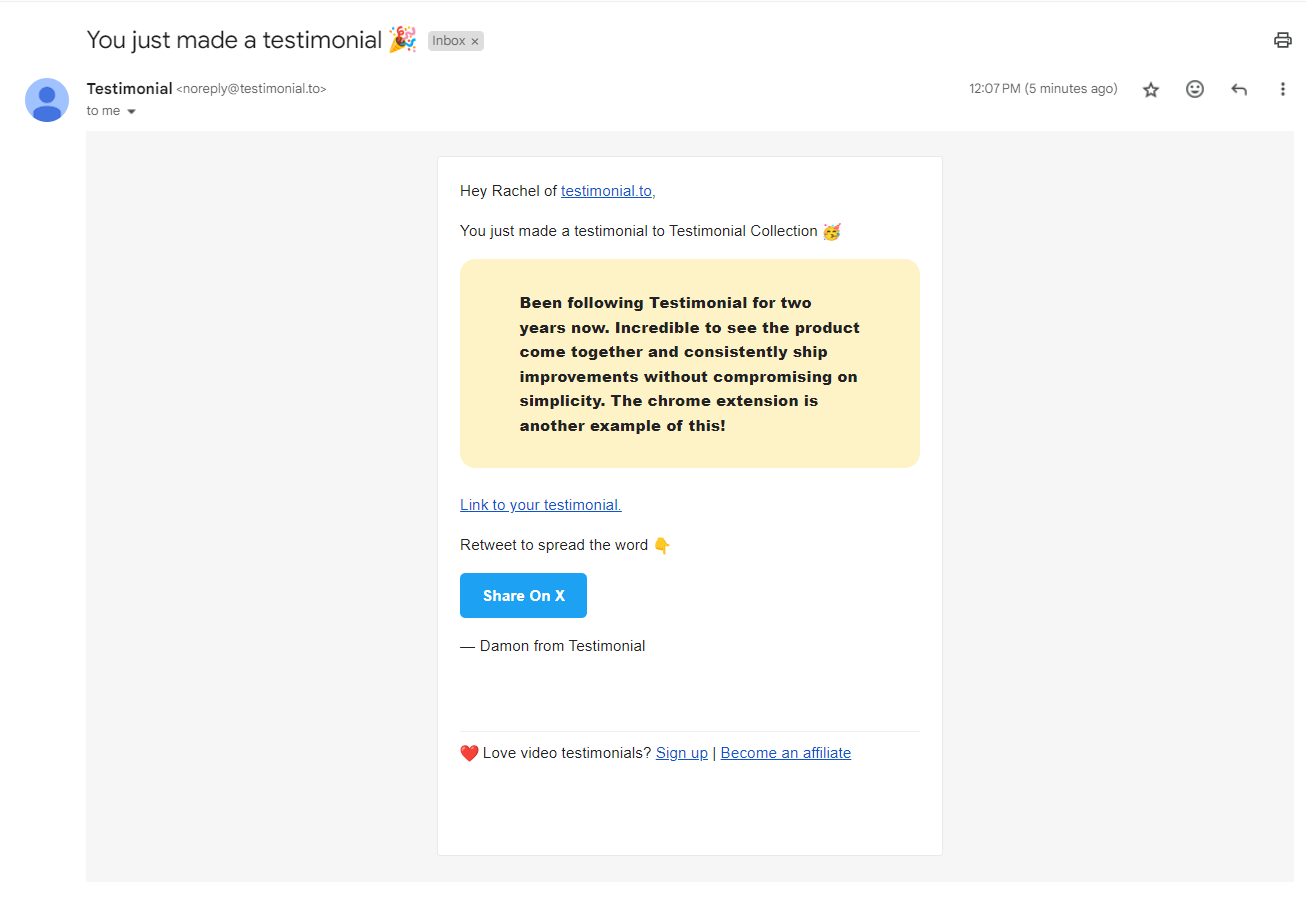
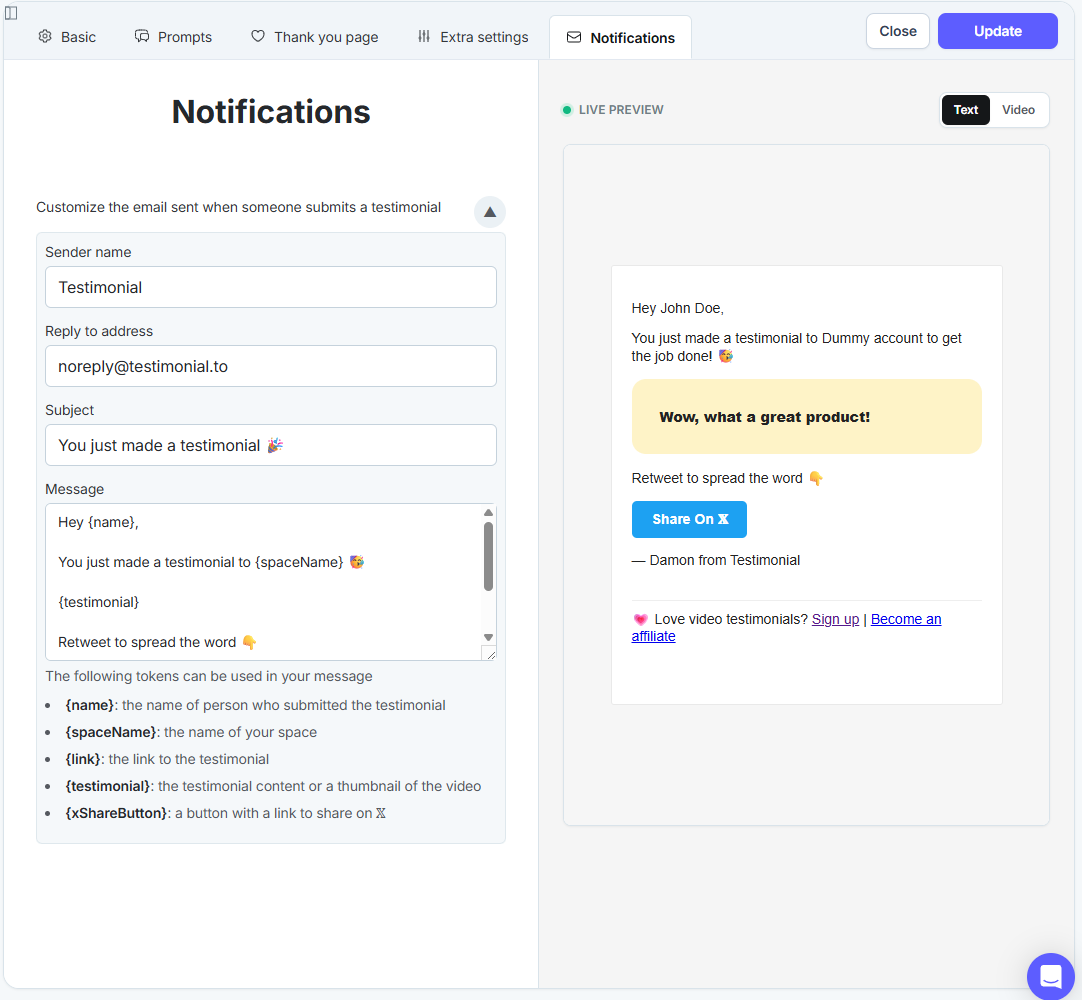
When someone submits a testimonial, they get a notification email by default. The email includes the testimonial and a link to it, and uses your space or brand color. On Ultimate and Ultimate+, the account owner can edit that email.
Account and Space team members cannot change this template.
Default email
Tokens you can use
{name} — the submitter’s name
{spaceName} — the Space name
{link} — the link to the testimonial
{testimonial} — the written testimonial or a video thumbnail
{xShareButton} — a button that shares on X
Edit the email
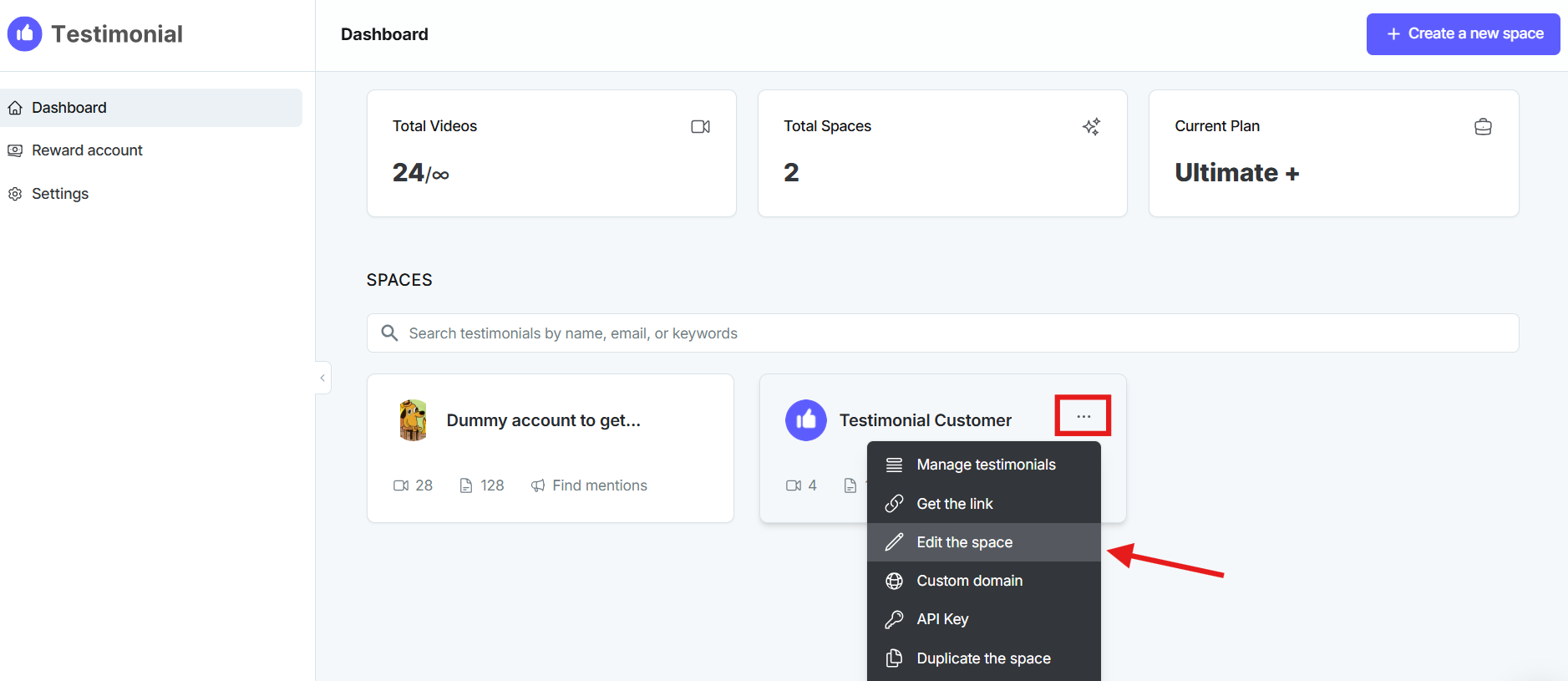
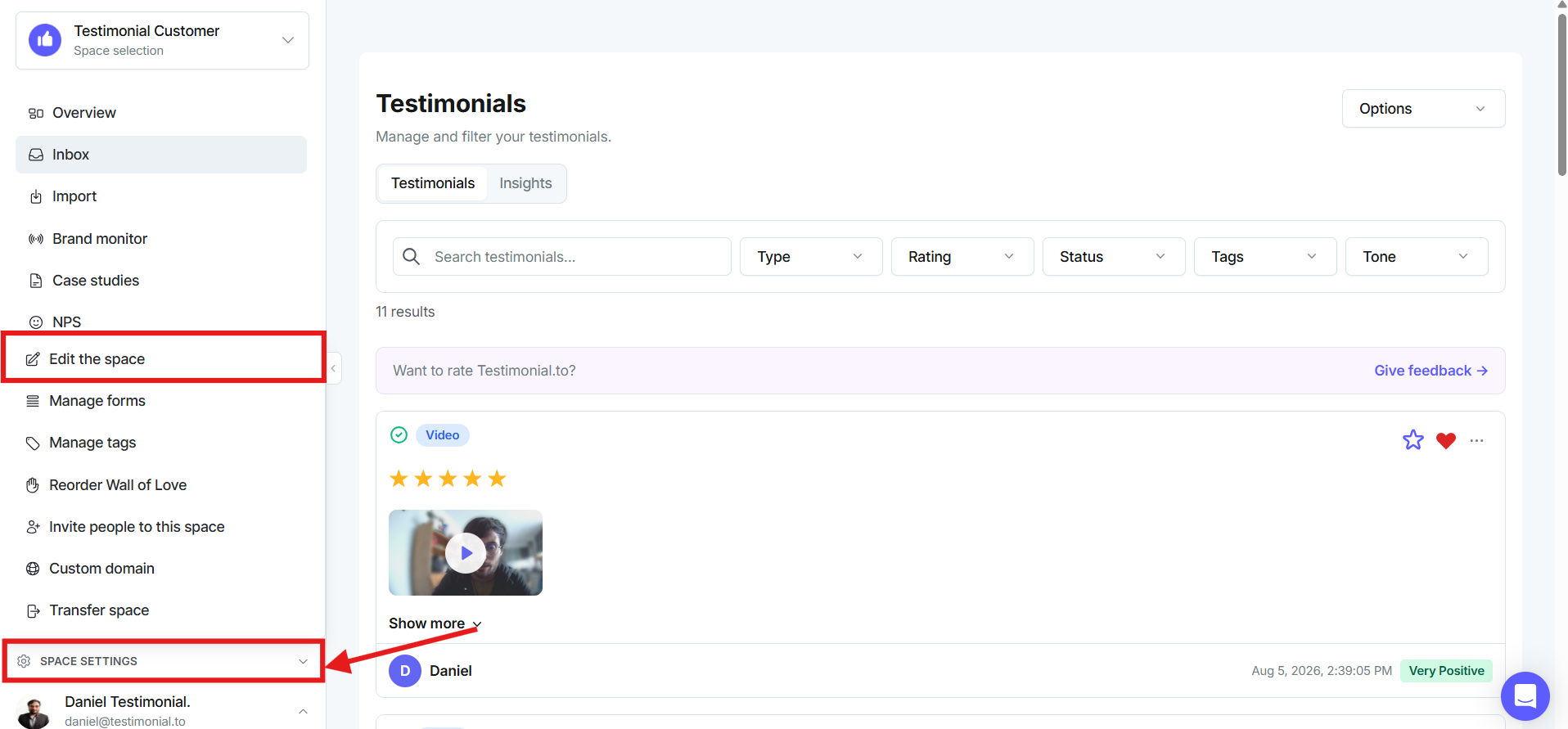
From the Dashboard, open the Space card menu and click Edit the space. Or, from Inbox, click Edit Space.
Open the Notifications tab.
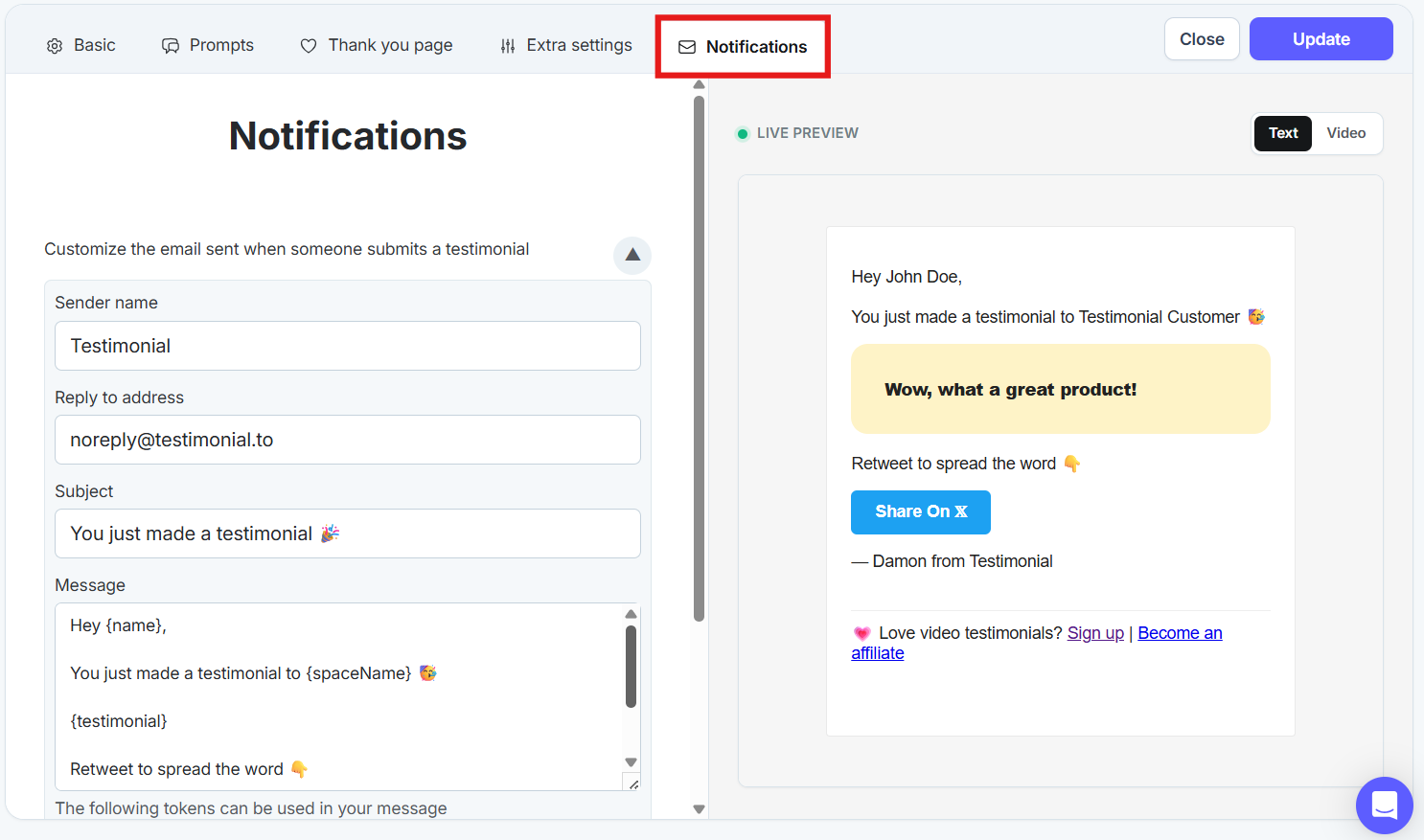
Edit the email content.
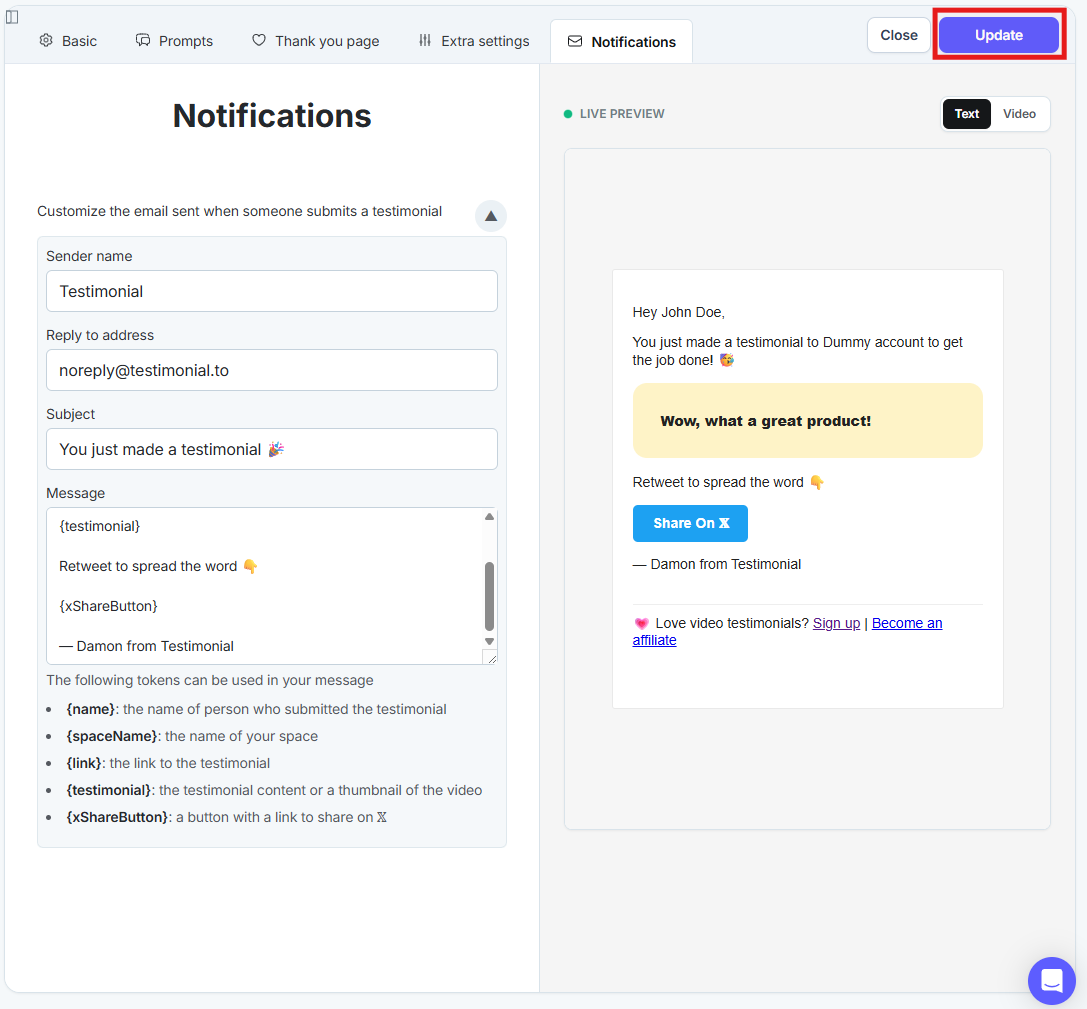
Click Update in the upper right.
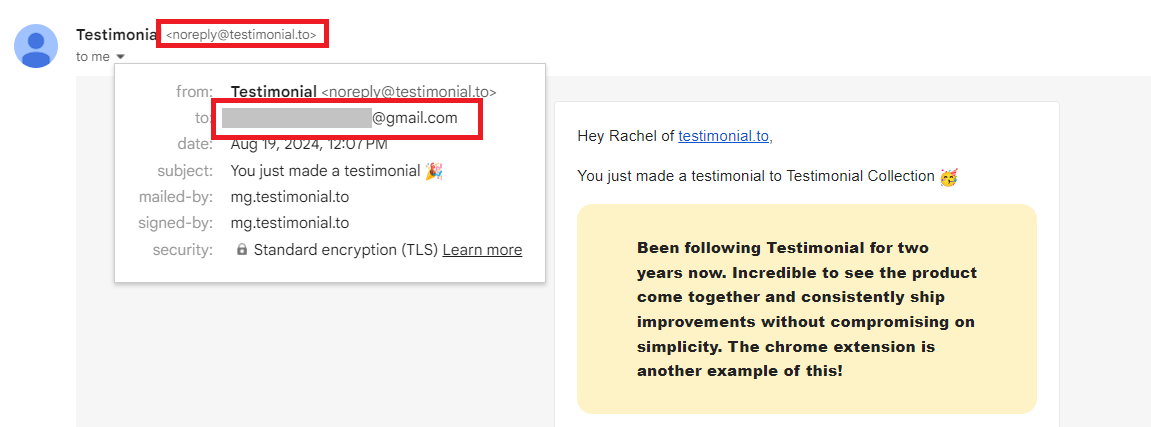
Note: After you change the reply-to address, the From line still shows noreply@testimonial.to. Replies go to the address you set.
Need help? Message us in the chat widget.