Emphasizing text using AI
Use AI to highlight the strongest phrase in a client review.
Use AI to highlight a phrase in a client review so the strongest line stands out on the testimonial.
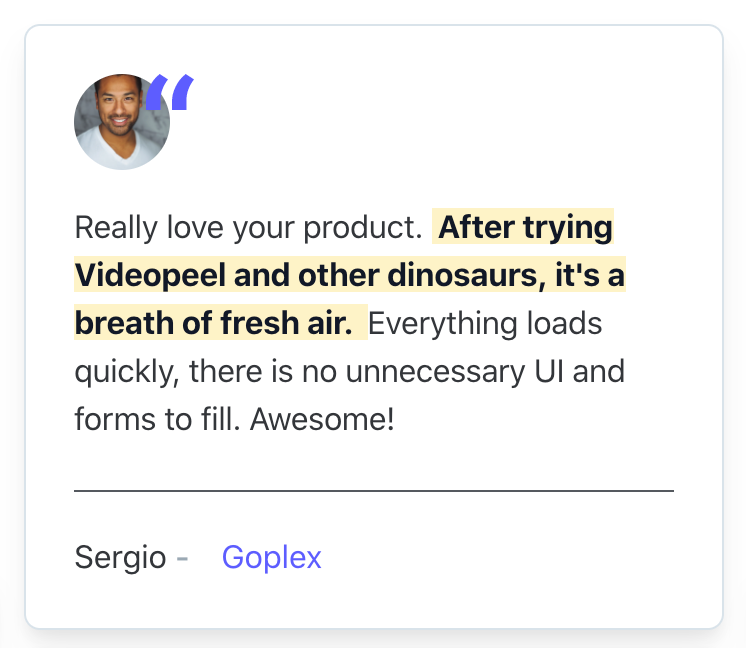
Demo
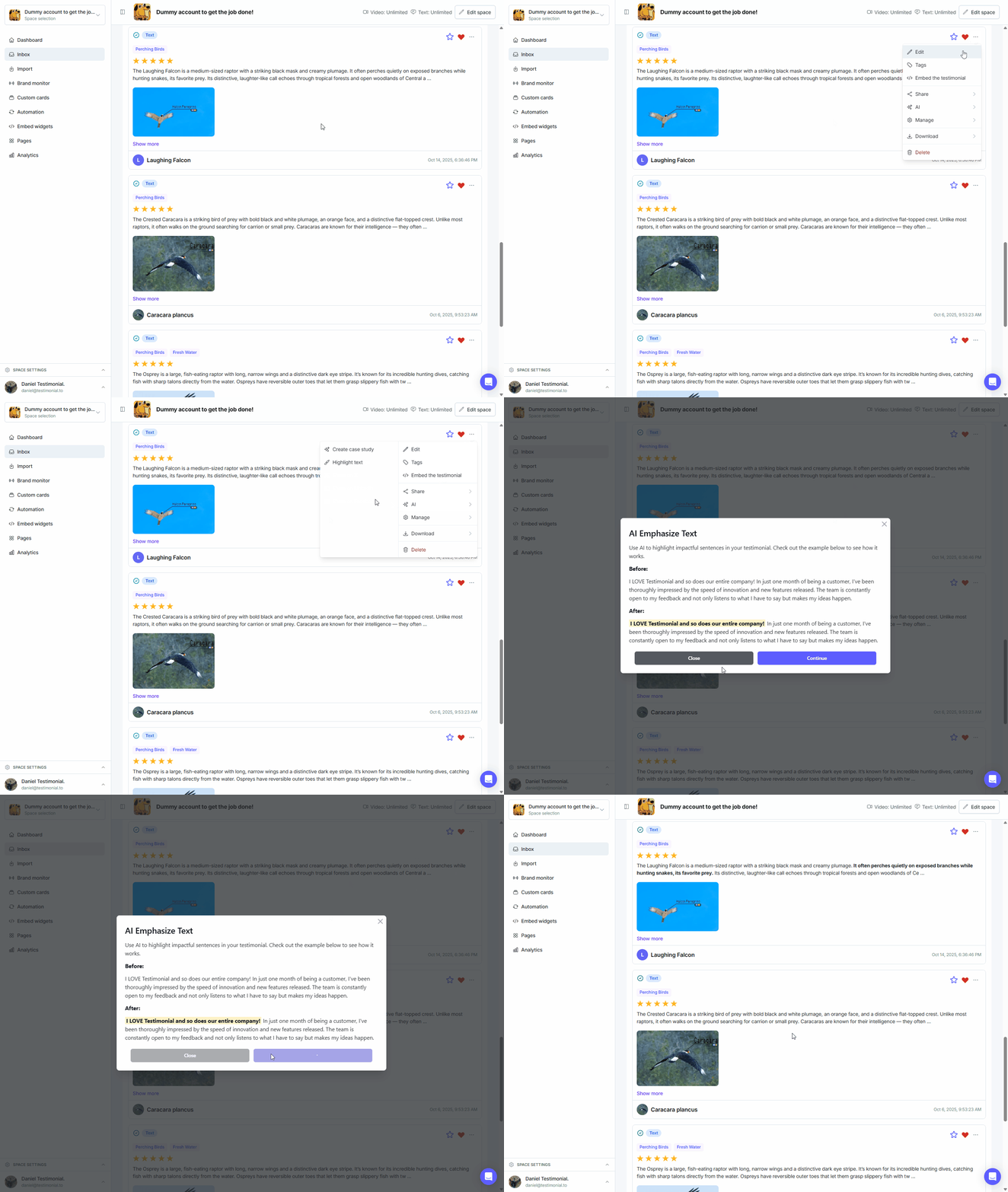
Highlight text with AI
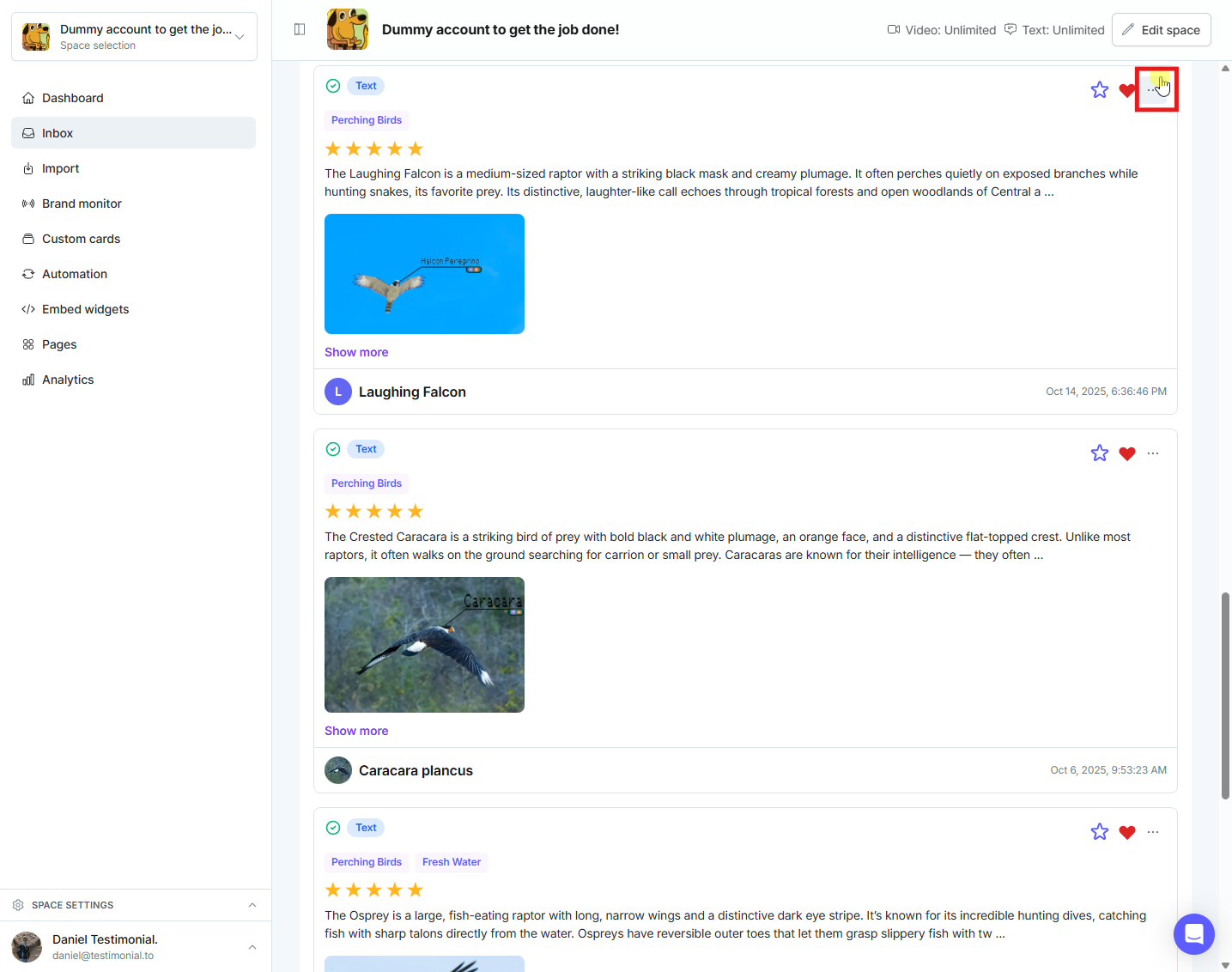
On the testimonial, click the 3-dots icon in the upper-right to open the menu.
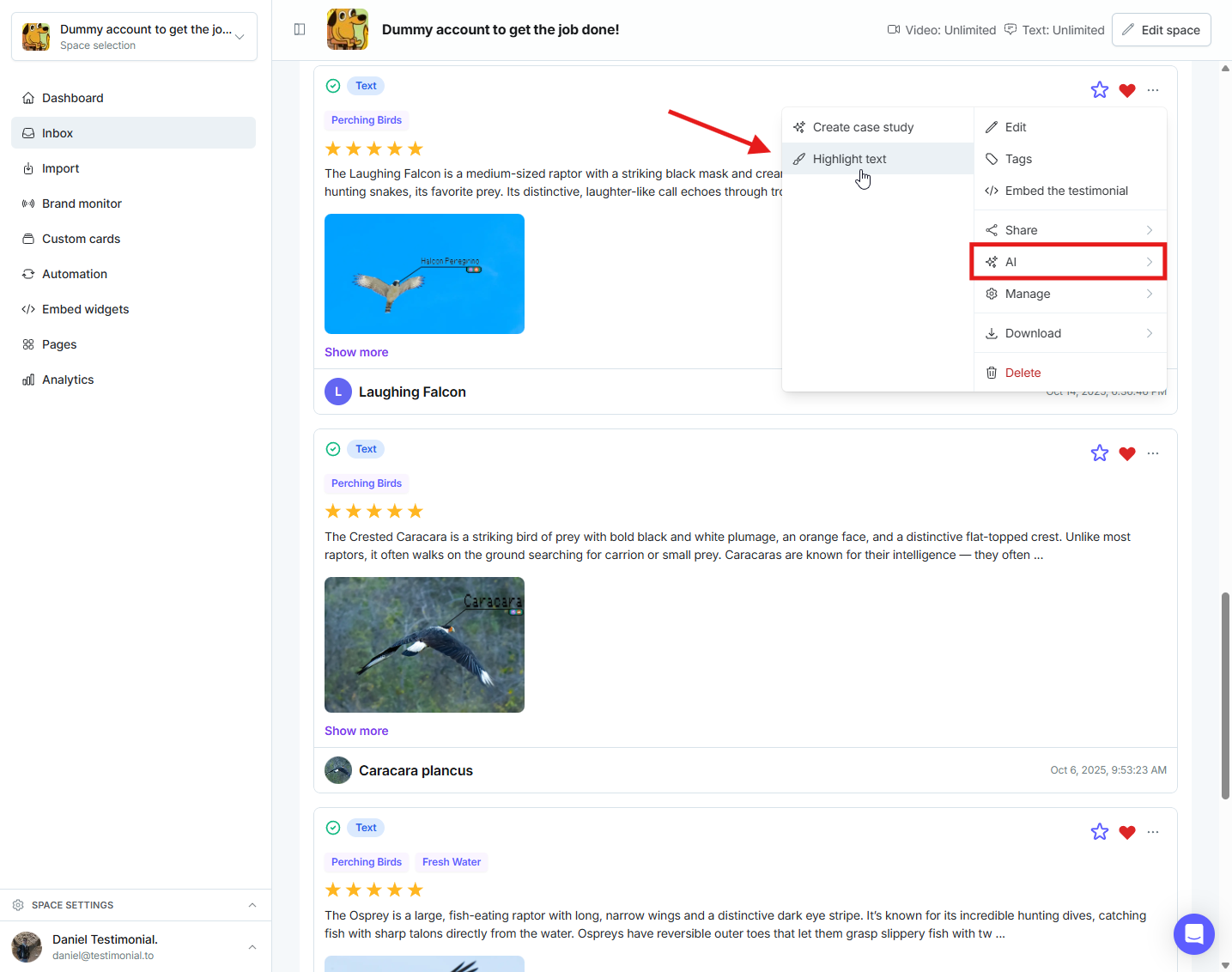
Click AI, then choose Highlight text.
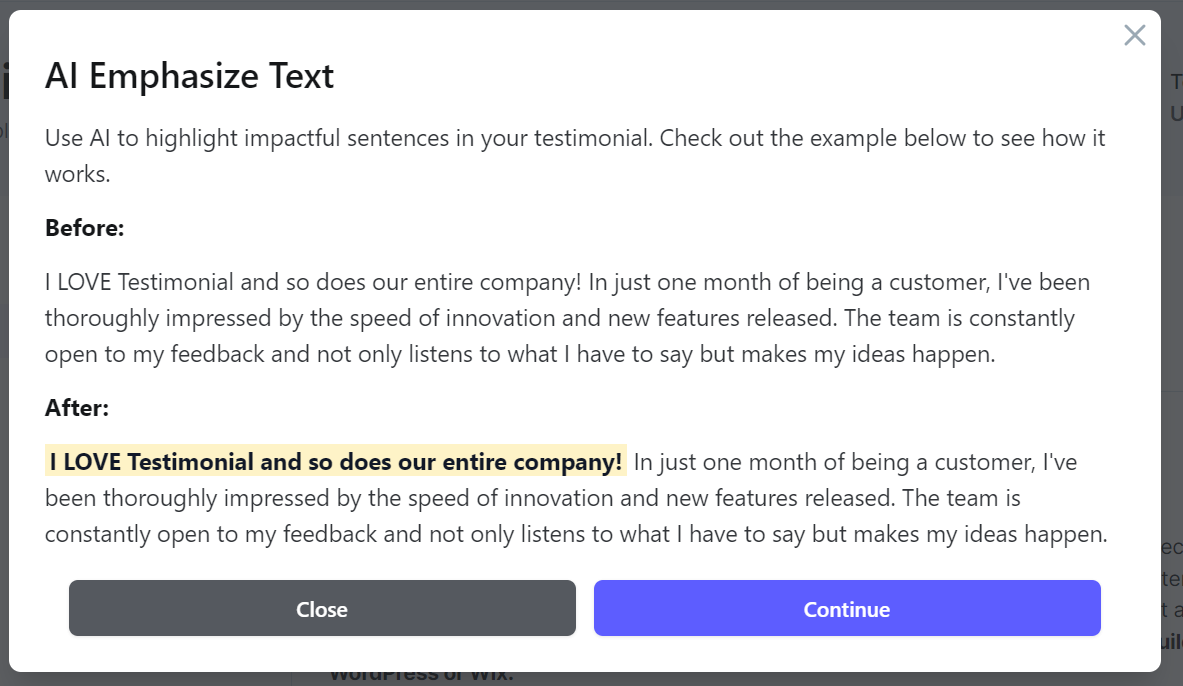
A pop-up shows an example. Click Continue.
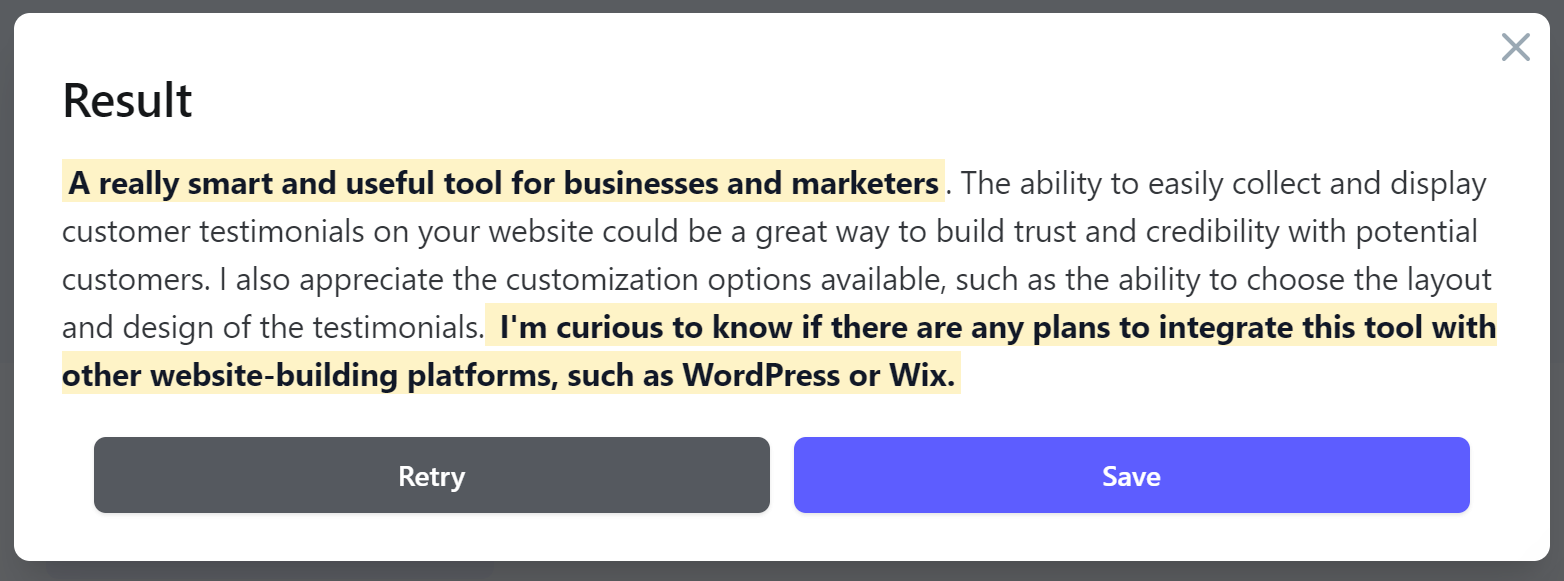
Click Save. If the highlight is not what you want, click Retry so AI can pick another phrase.
See also AI features with Testimonial.
To highlight a phrase yourself instead of using AI, see Highlight specific text within testimonials.
Need help? Message us in the chat widget.